Start With A Clear View At Reception
Start the shift with arrivals, departures, guests in house and room status in the front-desk view. The hotel management system also holds reservation details, guest records and folios, so staff can review the operational and billing context of a stay before taking the next step.
- Manage room types and rate information within the hotel system.
- Keep reservation details available for the team handling the stay.
- Use the front-desk workflow for arrivals, in-house guests and departures.
- Review guest charges and payment records in the folio.
Keep The Work Beyond Reception Visible
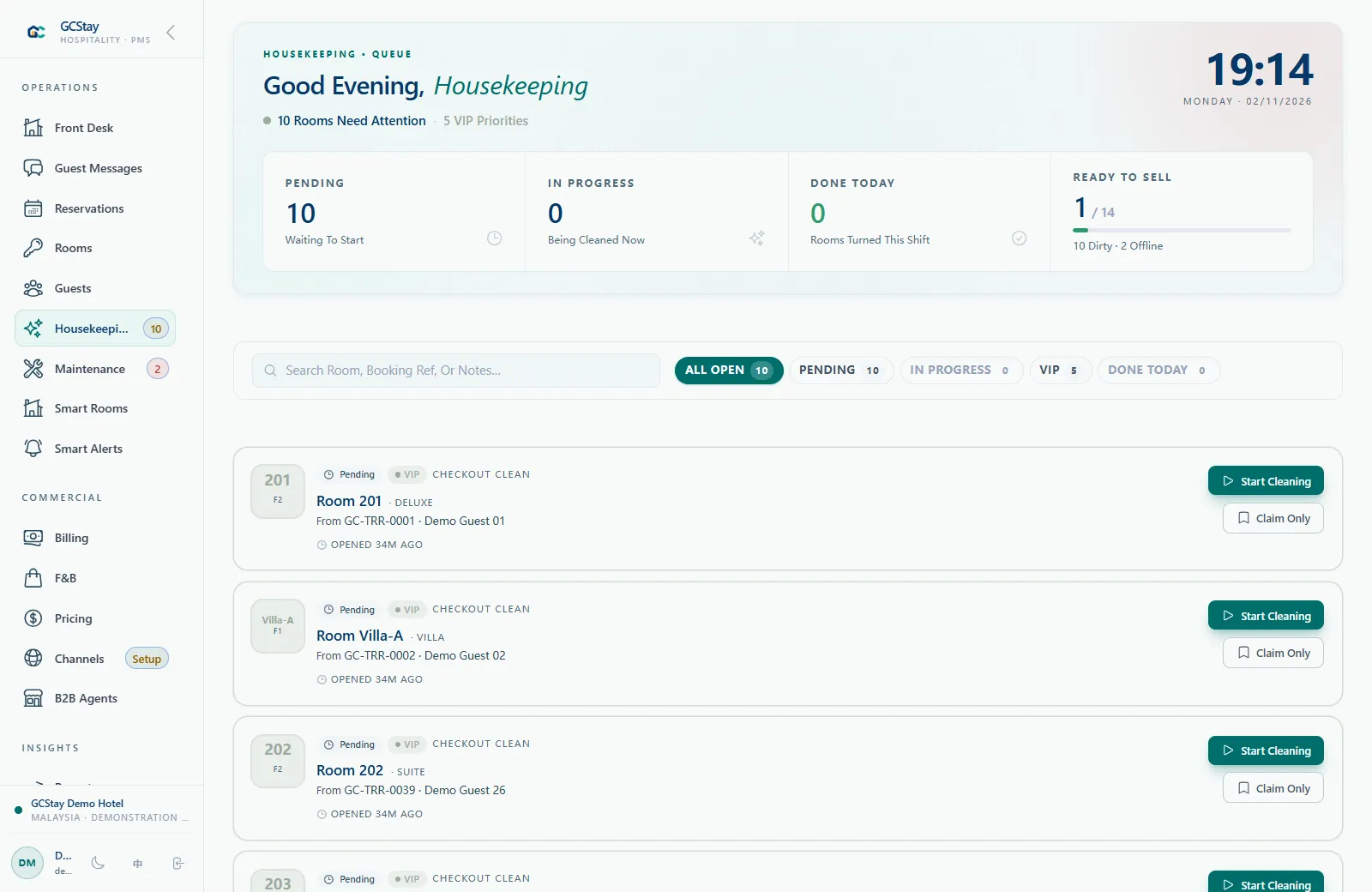
Reception, housekeeping and maintenance each see a different part of the property. GCStay.my includes dedicated workflows for those responsibilities, with POS and kitchen modules available for properties that operate food or other services.
- Follow housekeeping tasks and room status.
- Track property maintenance work.
- Discuss POS and kitchen workflows for your service outlets.
- Review reports as part of your daily management routine.
Give Agent Bookings A Defined Workflow
If your hotel works with booking agents, the B2B portal and agent wallet provide additional workflows to explore. The right setup depends on how your property handles agency bookings, balances and operational responsibilities.
- Explore the dedicated agent booking portal.
- Discuss how agency bookings connect to your reservation process.
- Review agent wallet and statement workflows during the demo.
- Confirm the configuration needed for your commercial arrangements.
Use Reports For A Practical Daily Review
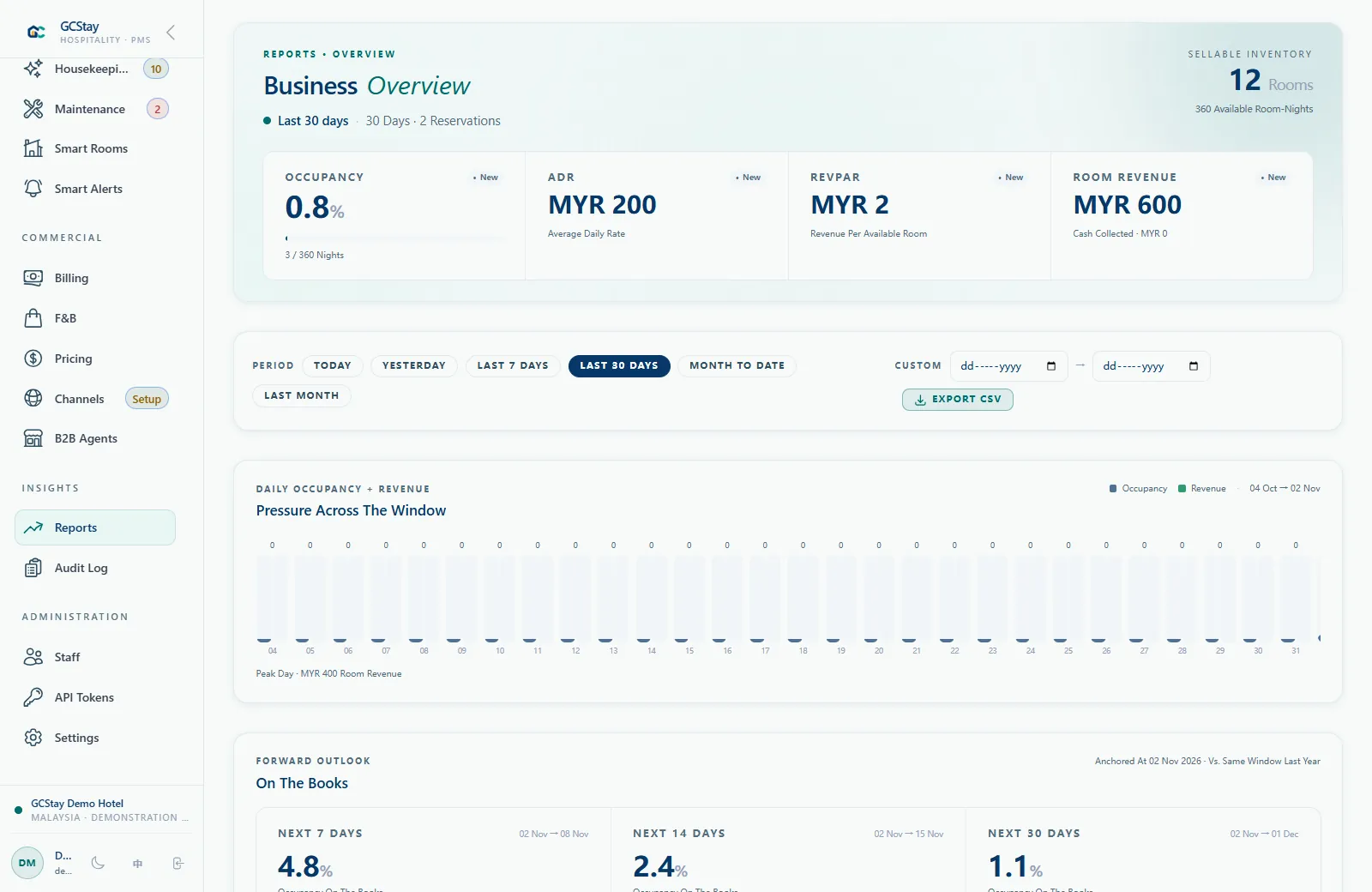
GCStay.my reporting includes occupancy, average daily rate and revenue per available room. Occupancy describes how much available accommodation was occupied. Average daily rate, or ADR, describes average room revenue per room sold; revenue per available room, or RevPAR, relates room revenue to available room inventory. These measures answer different questions, so review them for the same period alongside the operational records behind them.
- Review occupancy alongside the arrivals, departures and rooms available for sale.
- Use average daily rate to understand the room-rate outcome for the selected period.
- Read revenue per available room alongside both occupancy and rate performance.
- Ask to see the available report filters and definitions using a sample of your routine review.
Give Each Team A Clear Responsibility
Imagine a fictional independent hotel where one receptionist also helps with guest billing, while a manager reviews the daily figures. The hotel software should support the tasks each person is responsible for, with access appropriate to their role. GCStay.my includes roles and permissions. During setup, agree which staff need reservation, housekeeping, POS, reporting or administration access and test those responsibilities against the actual workflow.
- List the daily tasks handled by reception, housekeeping and management.
- Identify who can review charges, payment records and operational reports.
- Confirm access for any enabled POS, kitchen or agent modules.
- Walk through a shift handover so the next person knows which records need attention.