Keep The Stay In One Operational Record
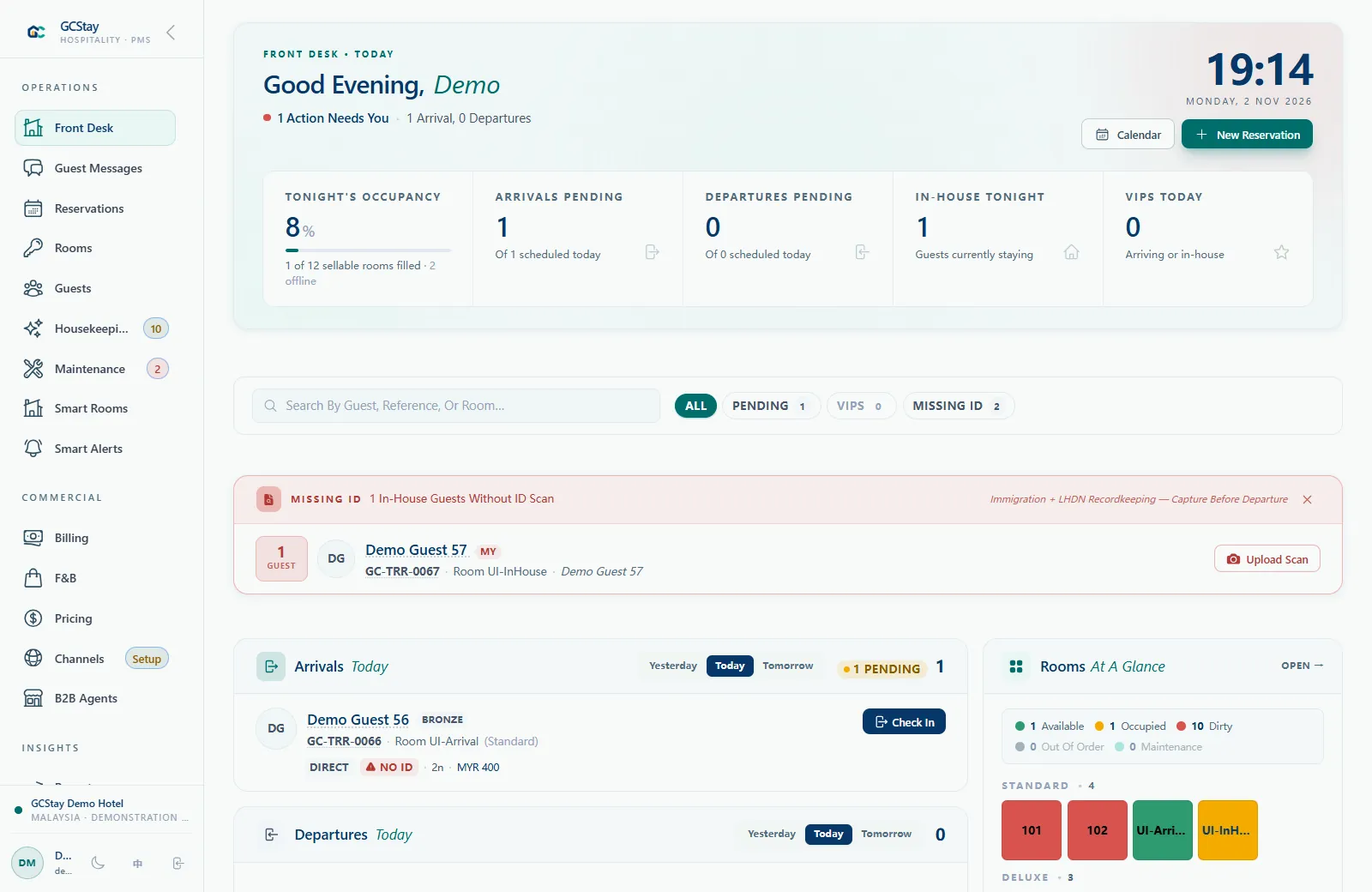
A hotel property management system gives reception a working record of the guest's reservation and stay. In GCStay.my, staff can review reservations in timeline and list views, connect guest details to the stay, and work with the room types and rates used by the property.
- Manage reservations alongside room types, room inventory and rates.
- Keep guest details connected to their reservation and stay records.
- Work through arrivals, in-house stays and departures at the front desk.
- Review guest folios, charges and payment records during the stay.
Connect Front Desk And Property Operations
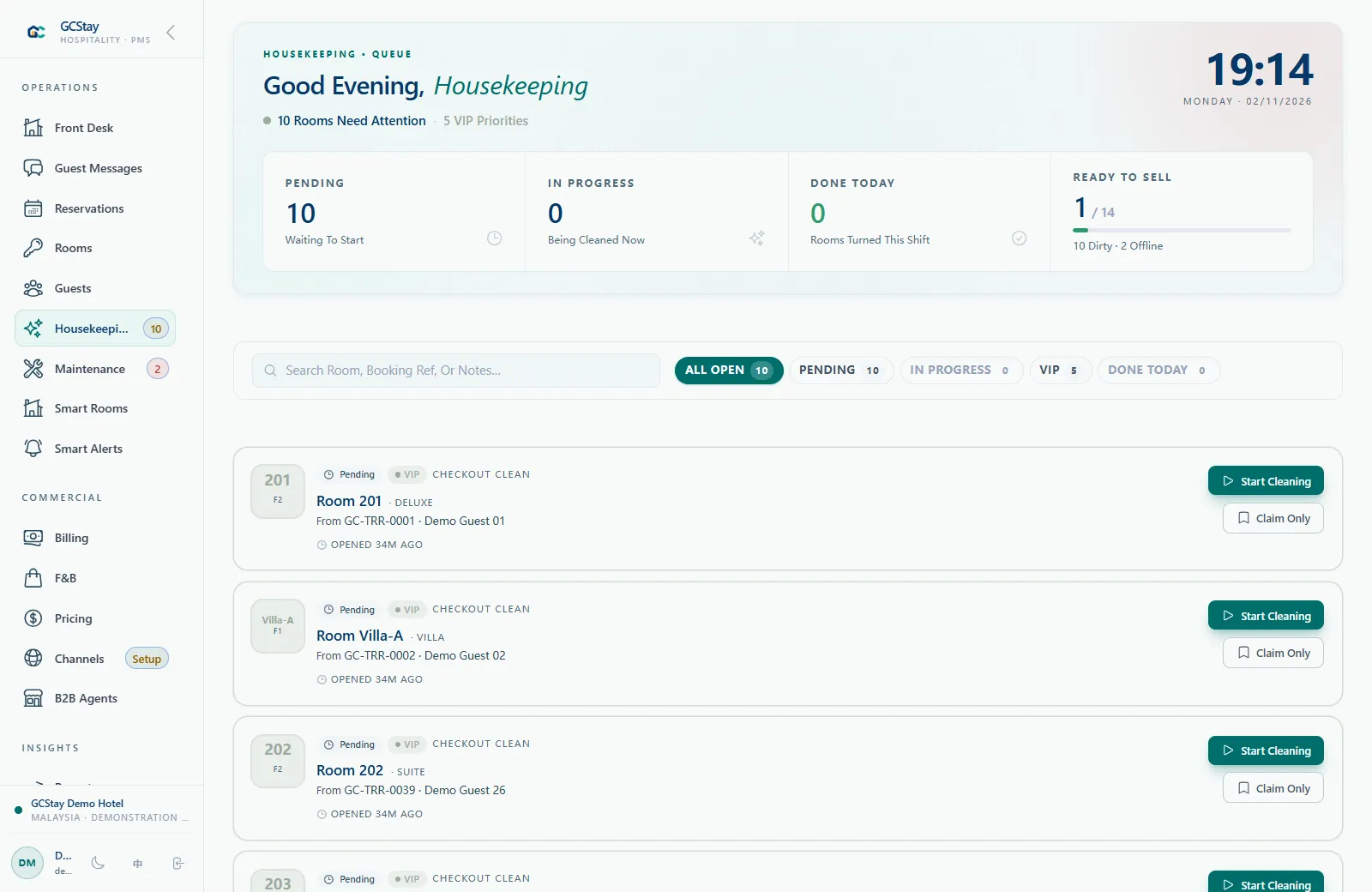
Room readiness needs a clear handover between reception, housekeeping and maintenance. GCStay.my tracks housekeeping tasks, cleaning progress and maintenance work alongside room status. Checkout can create a housekeeping task, while maintenance workflows can record rooms taken out of service.
- Follow housekeeping work and room status.
- Record maintenance work that needs attention at the property.
- Use reporting to review operational activity and hotel performance.
- Discuss POS, kitchen and agent workflows where they fit your business.
Follow A Stay Across The Property
Consider a fictional 24-room boutique hotel welcoming a guest for two nights. Reception reviews the reservation and room information before arrival. During the stay, staff review charges in the guest folio. At departure, the team checks the bill and follows the room's cleaning status before its next arrival. This example illustrates how a hotel PMS connects the records used by different people; it is not a customer result or a promised automatic sequence.
- Reception uses the reservation and guest record to understand the stay.
- The team reviews the guest folio as charges and payments are recorded.
- Housekeeping follows cleaning work and room readiness after departure.
- Maintenance records an issue if the room needs work before it returns to service.
Review The Guest Folio Before Departure
The guest folio is the place to review the financial detail of a stay. GCStay.my includes charges, payments and invoice PDFs within its billing workflows. A useful handover checks that the recorded charges reflect the stay and that the team understands the remaining balance before completing departure. If your property has a restaurant or other outlet, discuss how its enabled POS workflow should connect to hotel billing.
- Review the stay's charges and any adjustments that need staff attention.
- Check recorded payments against the guest's bill.
- Prepare the relevant invoice PDF from the billing workflow.
- Confirm outlet configuration and staff responsibilities during your demo.
Choose The Setup Around Your Property
Start with the way your hotel works today. A product discussion can cover your room structure, booking sources, staff responsibilities and the modules or integrations needed for your operation.
- Bring your room types and booking workflow to the demo.
- Explain how housekeeping, billing and reporting are handled today.
- Ask about optional Channex channel management and website booking integration.
- Confirm configuration, onboarding scope and pricing before proceeding.